Emerging Trends in App-Driven Productivity for the Years Ahead
18 July 2026
The productivity app market has matured past the simple to-do list and basic calendar integration. We are now entering a phase where the fundamental assumptions about how software helps us work are being questioned and rebuilt. The next few years will not be about incremental updates. They will be about a structural shift in the relationship between the user, the data, and the machine.
This article cuts through the hype. It examines the real forces reshaping app-driven productivity: the quiet rise of invisible workflows, the tension between automation and human judgment, the collapse of the all-in-one platform, and the hard trade-offs that come with personalization at scale. If you are building, buying, or just trying to stay ahead of your own workload, these are the trends that matter.

The Shift from Task Management to Outcome Orchestration
For the last decade, productivity apps focused on task capture and completion. You put a thing in a list, you check it off. That model is dying. The next generation of tools is moving toward outcome orchestration, where the app does not just track what you do but actively manages the conditions under which you do it.Why Task Lists Fail at Scale
A task list works fine when you have fifteen things to do. It breaks when you have fifty, and the dependencies between them are complex. The cognitive load of maintaining the list itself becomes a second job. People spend more time organizing their productivity system than actually doing productive work. This is the fundamental inefficiency that new tools are trying to solve.Outcome orchestration flips the model. Instead of you telling the app what to do next, the app surfaces the next action based on context, energy levels, deadlines, and dependencies. This is not the same as simple prioritization. It is a dynamic, probabilistic system that adapts in real time. For example, a modern project management tool might notice that you always lose focus after lunch and schedule your low-cognitive-load tasks for that period automatically.
The Role of Contextual Awareness
The key enabler here is contextual awareness. The app needs to know more than just your calendar. It needs to understand your location, your current device, your typical work patterns, and even your biometric signals if you allow it. A writing task that requires deep focus should not pop up when you are on a crowded train. A quick approval should not be buried in a list of long-form tasks.The trade-off is privacy. The more context the app has, the more effective it becomes, but the more data you surrender. This is a personal decision that every user must make. There is no universal right answer. Some people will accept the trade-off for a 20% increase in output. Others will refuse on principle. Both positions are valid, but you need to be honest with yourself about which camp you fall into.
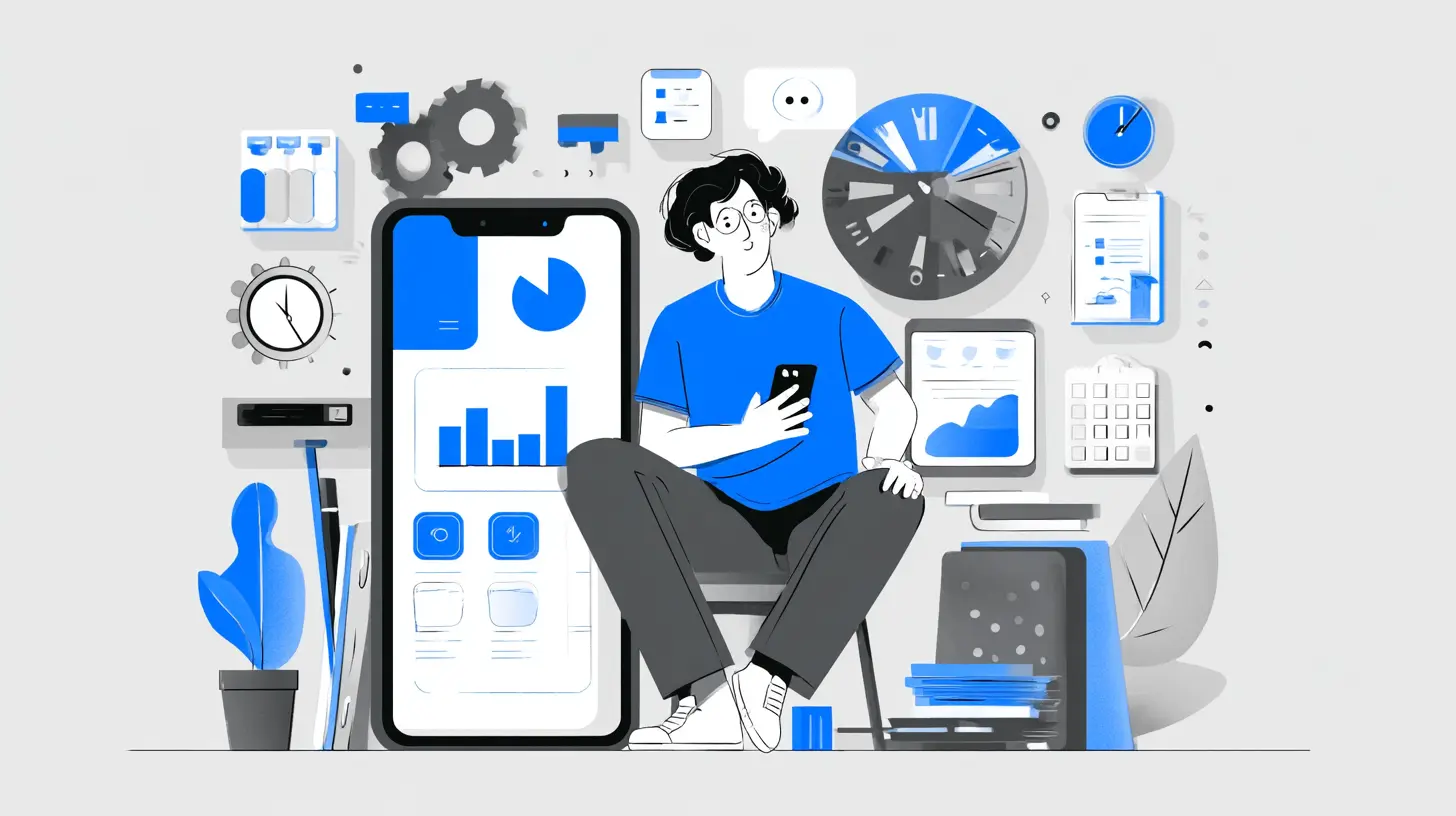
The Rise of Invisible Workflows and Ambient Intelligence
One of the most misleading concepts in productivity is that you need to actively use an app for it to be useful. The best productivity tools are the ones you barely notice. They operate in the background, handling repetitive decisions and data movement so you do not have to.What Ambient Intelligence Actually Looks Like
Ambient intelligence in productivity means the app anticipates your needs before you articulate them. A simple example is a calendar tool that automatically adjusts meeting times based on your historical travel data between locations. A more advanced example is a system that watches your email threads, identifies action items that were assigned to you verbally in a meeting, and creates a task for them without you having to type a single word.This works because the app is not waiting for commands. It is observing patterns and acting on them. The technology behind this is a combination of natural language processing, behavior modeling, and rule-based triggers. The best implementations feel like magic, but they are actually the result of very careful design that limits the scope of what the system can do autonomously.
The Danger of Over-Automation
There is a common mistake that developers and power users make: they try to automate everything. This backfires. When a system automates too aggressively, it strips away the user's sense of control. You end up with a tool that makes decisions you do not agree with, and you spend more time undoing its actions than you saved in the first place.The correct approach is to automate the trivial and leave the meaningful to the human. A good rule of thumb is that if the consequence of an automated action is annoying but not harmful, let the machine do it. If the consequence could cause a missed deadline, a lost client, or an embarrassing mistake, keep the human in the loop. This is the difference between a helpful assistant and an overbearing one.

The Collapse of the All-in-One Platform
For years, the industry chased the dream of a single app that does everything. Notion, ClickUp, Monday.com, and others tried to be your wiki, your project manager, your database, and your document editor all at once. The result is a market that is now fragmenting again, and for good reason.Why All-in-One Apps Often Fail
The fundamental problem with all-in-one platforms is that they optimize for breadth, not depth. A tool that tries to be a great project manager and a great document editor usually ends up being mediocre at both. The features are there, but the workflows are clunky. You find yourself fighting the tool instead of using it.these platforms create lock-in. Once you have a hundred pages of documentation and fifty active projects inside a single ecosystem, leaving becomes painful. The switching costs are enormous. This is great for the vendor but bad for you. You end up paying for features you do not use and tolerating the ones that frustrate you because the exit is too hard.
The Return of Best-in-Breed Stacks
The counter-trend is the return of best-in-breed tools that do one thing exceptionally well and integrate with everything else. A modern productivity stack might consist of a dedicated task manager, a separate notes app, a calendar tool, a communication platform, and an automation layer like Zapier or Make that ties them together.The advantage is flexibility. You can swap out one component without rebuilding your entire system. The disadvantage is integration friction. Not all tools talk to each other well, and maintaining the connections requires effort. The best practice here is to choose tools that use standard APIs and open protocols. Proprietary integrations are a trap. If the connection between two tools depends on a specific deal between two companies, it will break the moment one of them changes strategy.

Personalization at Scale Without the Creep Factor
Personalization is the holy grail of productivity. An app that adapts to your specific work style, your energy patterns, and your preferences is vastly more useful than a one-size-fits-all solution. But personalization requires data, and data collection often feels creepy.The Difference Between Helpful and Intrusive
The line between helpful personalization and intrusive surveillance is thin but real. A tool that suggests you take a break because it has noticed you have been typing for three hours straight is helpful. A tool that sends your manager a report on how many minutes you spent on each task is intrusive.The key is consent and transparency. The user must know exactly what data is being collected, how it is being used, and who has access to it. The best apps in this space explain their data practices in plain language, not in a dense privacy policy that nobody reads. They also give you granular control. You should be able to say "track my activity for personal suggestions" without also saying "share my activity with my team."
The Trade-Off Between Accuracy and Privacy
There is an inherent trade-off here. The more data you provide, the more accurate the personalization becomes. If you want an app that truly understands your workflow, you have to let it see your workflow. There is no way around this.But you can make smart choices about what to share. For example, you might allow an app to track your app usage patterns without allowing it to read the content of your documents. Or you might let it analyze your calendar metadata without giving it access to your email body. The decision should be based on the value you get in return. If a feature saves you two hours a week, it might be worth sharing some data. If it saves you five minutes, it is not.
The Integration of AI as a Collaborator, Not a Tool
The conversation around AI in productivity has shifted from "AI will replace you" to "AI will work with you." The most effective implementations treat AI as a collaborator that handles specific, well-defined tasks while leaving strategic decisions to the human.What AI Does Well in Productivity
AI excels at pattern recognition, data synthesis, and repetitive tasks. It can summarize a long email thread, extract action items from a meeting transcript, suggest a response to a common client question, or flag a project that is falling behind schedule based on subtle signals in the data.The mistake people make is expecting AI to handle ambiguous, creative, or deeply contextual tasks. It cannot. AI does not understand your company politics, your personal relationships with clients, or the unspoken subtext of a difficult negotiation. It can provide input, but the final decision must be yours.
The Best Architecture for Human-AI Collaboration
The best productivity apps are designed with a clear boundary between what the AI does and what the human does. The AI should present options, not commands. It should offer recommendations, not decisions. And the user should always have the ability to override, edit, or reject the AI's output without friction.A concrete example is an AI-powered email assistant. The AI drafts a response based on the incoming email and your past replies. You review it, make changes, and send it. The AI learns from your edits and improves over time. This works because the AI handles the mechanical part of writing while you handle the nuance. If the AI just sent the reply without your approval, you would quickly lose trust in the system.
The Emergence of Time-Boxed and Energy-Aware Scheduling
Traditional productivity apps treat time as a uniform resource. A minute at 9 AM is treated the same as a minute at 3 PM. Anyone who has ever tried to do deep work after a heavy lunch knows this is nonsense. The new wave of apps is starting to treat time and energy as separate, interconnected variables.Energy Mapping and Cognitive Load
Energy-aware scheduling tracks your cognitive state throughout the day. It learns when you are most focused, when you tend to get distracted, and when you hit a slump. It then assigns tasks accordingly. Deep work goes into your peak hours. Administrative tasks go into your low-energy periods.This requires the app to collect data on your activity, and in some cases, your biometrics. Heart rate variability, typing speed, and error rates can all be indicators of cognitive state. The technology is still early, but the results are promising. Users who adopt energy-aware scheduling report higher output and lower fatigue.
The Misconception of Perfect Scheduling
A common misconception is that the goal is to create a perfect daily schedule that never changes. This is impossible. Interruptions happen. Priorities shift. The goal is not perfection but resilience. A good energy-aware system adapts when things go wrong. If a meeting gets canceled, it reschedules your deep work block. If you get a sudden urgent request, it reshuffles your lower-priority tasks.The best practice is to build slack into your schedule. Do not fill every minute. Leave buffer time for the unexpected. An app that schedules you to 100% capacity is setting you up for failure. The most productive people are not the ones who pack the most into their day. They are the ones who consistently do the right things at the right time.
The Shift Toward Asynchronous Collaboration
The pandemic accelerated remote work, but the tools we use still assume synchronous collaboration. We still have meetings. We still expect instant replies. The next trend is a move toward truly asynchronous workflows where people contribute on their own time.Why Synchronous Tools Are a Productivity Trap
Slack, Teams, and other real-time chat tools create an illusion of productivity. You feel busy because you are constantly responding, but you are not actually making progress on your core work. The constant context switching fragments your attention and reduces your ability to do deep work.The data is clear. It takes an average of 23 minutes to refocus after an interruption. If you are interrupted ten times a day, you lose nearly four hours of productive time. The solution is not to eliminate communication but to make it asynchronous by default.
How Apps Are Enabling Async Work
The new generation of productivity apps is designed for async workflows. They use threaded discussions, status updates, and document-based collaboration instead of real-time chat. They allow you to record a video update instead of scheduling a meeting. They use collaborative documents where multiple people can contribute at their own pace.The trade-off is that async communication takes longer. A decision that could be made in a five-minute meeting might take a day of back-and-forth in an async system. But that is the wrong comparison. The right comparison is the meeting plus the context switching plus the recovery time. When you account for the full cost, async is often faster.
The Importance of Digital Minimalism in a Tool-Heavy World
There is a counter-intuitive trend emerging in the productivity space: people are deliberately using fewer tools. The explosion of productivity apps has created a new problem called "tool fatigue." You spend so much time managing your tools that you have no time left for actual work.The Cost of Tool Complexity
Every tool you add to your stack has a cognitive cost. You have to remember how to use it. You have to maintain it. You have to deal with updates and bugs. The marginal benefit of adding a new tool decreases with each addition. At some point, the cost outweighs the benefit.The best practice is to regularly audit your tool stack. Ask yourself: does this tool save me more time than it costs? If the answer is no, remove it. Be ruthless. A productivity tool that you use once a month is probably not worth keeping. Consolidate where you can, but only if the consolidation does not force you into bad workflows.
The Zen of a Minimal Stack
A minimal productivity stack consists of a task manager, a calendar, a notes app, and a communication tool. That is it. Everything else is optional. You do not need a separate tool for habit tracking, goal setting, journaling, and project management. You can do most of that inside your core tools if you are willing to adapt your workflows.The advantage of a minimal stack is that you can focus on the work, not the system. You spend zero time organizing your productivity system because there is nothing to organize. The trade-off is that you lose some specialized features. You might not get the perfect habit tracker or the ideal goal-setting framework. But you gain something more valuable: simplicity.
Common Mistakes and How to Avoid Them
Even experienced professionals make predictable mistakes when adopting new productivity tools. Here are the most common ones and how to avoid them.Mistake 1: Over-Customization
People spend weeks setting up their perfect system. They create custom views, complex automations, and elaborate tagging schemes. Then they never use it. The system is too complicated to maintain. The solution is to start simple. Use the default settings. Add complexity only when you feel a specific pain point.Mistake 2: Tool Hopping
You read about a new app. You switch to it. You spend a month migrating your data. You realize it is not better than your old tool. You switch again. This is a waste of time. The solution is to commit to a tool for at least six months. Give it a fair trial. If you still hate it after six months, switch. But do not switch every time a shiny new option appears.Mistake 3: Ignoring Integration Costs
You choose a tool based on its features. You do not check whether it integrates with your existing stack. Then you spend hours manually copying data between tools. The solution is to check integrations before you commit. If a tool does not have a robust API or does not connect to your core apps, do not buy it.
Best Practices for the Years Ahead
Based on the trends and analysis above, here are actionable recommendations for anyone looking to improve their app-driven productivity.1. Audit your current stack quarterly. Remove tools that are not earning their keep. Consolidate where possible.
2. Prioritize tools with open APIs. Avoid proprietary ecosystems that lock you in. You want the freedom to switch.
3. Automate the trivial, not the meaningful. Let machines handle repetitive tasks. Keep humans in the loop for decisions that matter.
4. Use energy-aware scheduling if available. If not, manually block your peak hours for deep work and your low hours for admin.
5. Go async by default. Use meetings only when absolutely necessary. Prefer documents, recordings, and threaded discussions.
6. Be honest about your privacy tolerance. Do not use a tool that collects data you are uncomfortable sharing. Find a tool that matches your values.
7. Accept imperfection. No tool is perfect. No system is perfect. The goal is progress, not perfection.
The Bottom Line
The future of app-driven productivity is not about doing more things faster. It is about doing the right things with less friction. The tools that win will be the ones that respect your time, your attention, and your autonomy. They will work in the background, adapt to your context, and get out of your way when you are in flow.The trends are clear: invisible workflows, best-in-breed stacks, energy-aware scheduling, asynchronous collaboration, and AI as a collaborator rather than a replacement. These are not just features. They are a fundamental rethinking of what a productivity tool should be.
If you are building a productivity app, focus on depth, not breadth. If you are buying one, focus on integration, not features. And if you are just trying to get your work done, focus on the work itself. The tool is just a means to an end. Do not let it become the end.
all images in this post were generated using AI tools
Category:
Productivity AppsAuthor:

Gabriel Sullivan